How to convert text and fonts to outlines in an SVG before printing
Convert SVG text into stable vector outlines, avoid missing or substituted fonts, preserve an editable master, and prepare dependable artwork for production.
Quick answer
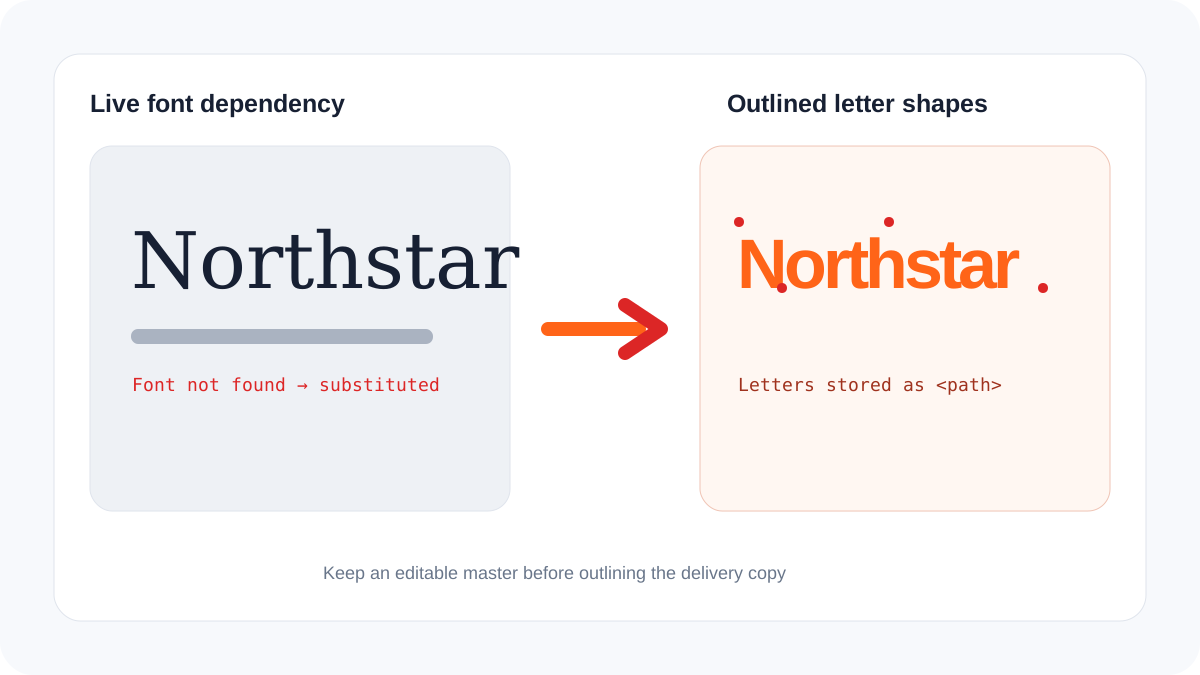
Convert text to outlines when a printer, sign maker, cutter, or external application must reproduce the lettering without access to the original font. Outlining turns each glyph into vector shapes and removes the font dependency. Correct spelling, kerning, line breaks, and legal text first, keep an editable master, and outline only a delivery copy. Use Text to SVG for new path-based lettering or inspect an existing file with the SVG design checker.
Why fonts change during handoff
Live SVG text references a font family, weight, and style. If the receiving system does not have the same font, it can substitute another face, change line width, alter spacing, or omit the text. A browser may also load a web font that is unavailable to a print workflow or cutting application.
| Delivery method | Appearance stability | Text remains editable | Main risk |
|---|---|---|---|
| Live text with system font | Medium | Yes | Font differs between computers |
| Embedded or linked web font | Context-dependent | Yes | Importer may block or ignore it |
| Outlined text | High | No | Typos cannot be corrected as text |
| Rasterized text | Fixed at one resolution | No | Pixelation when enlarged |
Safe outlining workflow
- Save an editable source containing the original text and licensed font.
- Proofread names, prices, dates, punctuation, URLs, and small legal lines.
- Confirm kerning, alignment, line breaks, and the final physical size.
- Duplicate the document and convert text to outlines or paths in the delivery copy.
- Inspect counters inside letters such as A, B, O, P, and R. They must remain open.
- Check that strokes, effects, and clipping masks did not change during conversion.
- Reopen the exported SVG on another device or in the target software.
When not to outline yet
Do not outline early in a collaborative document that still needs translation, copy changes, accessibility, search, or dynamic personalization. Keep text live during editing and generate outlined production assets only after approval. For websites, real HTML text is generally better for paragraphs and interface labels; outline only artwork whose letterforms are part of the graphic identity.
Font licensing also matters. Outlining may be allowed for production output but does not automatically grant permission to redistribute the font or sell isolated letter shapes. Follow the font license and keep source files private.
Frequently asked questions
Is outlining the same as embedding a font?
No. Embedding includes font data; outlining replaces glyphs with paths. They have different compatibility, editing, and licensing implications.
Why did counters disappear after outlining?
The compound paths or fill rule may have been damaged. Check the letter structure before merging or simplifying paths.
Should every SVG website icon use outlined text?
Logos and decorative wordmarks often should. Interface text and meaningful content should normally remain accessible HTML text rather than letters drawn as paths.